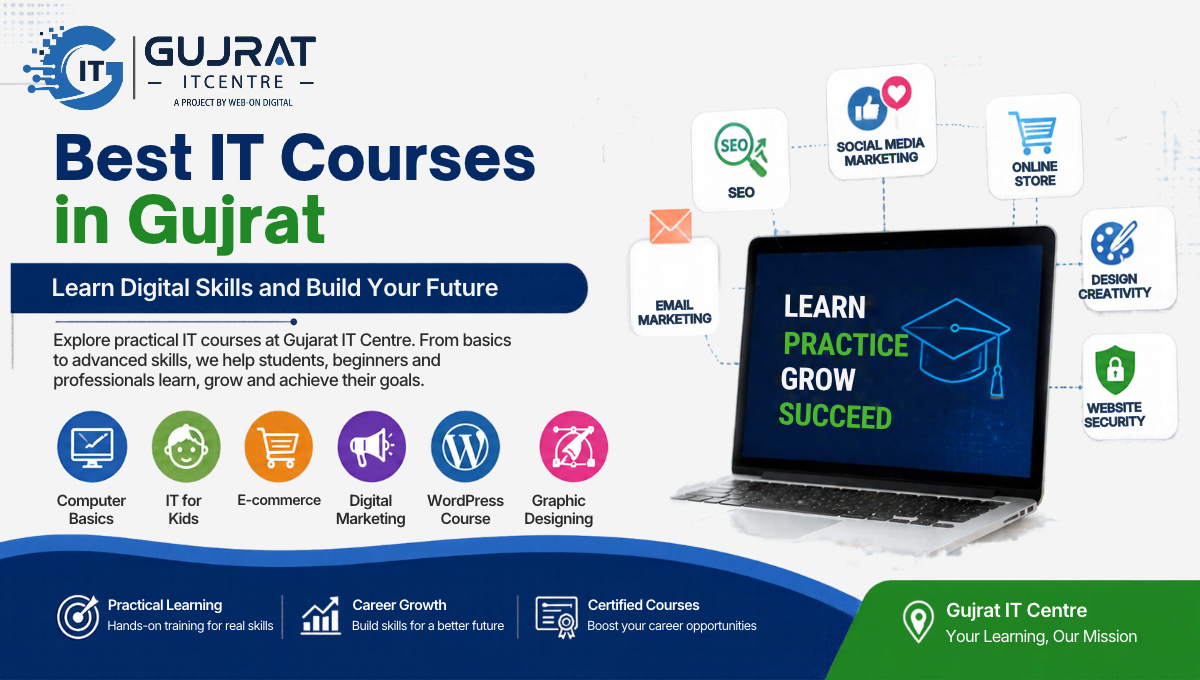
Best IT Courses in Gujrat
The Best IT Courses in Gujrat can help students and beginners develop practical digital skills for education, employment, freelancing, and business. Gujrat IT Centre offers learners the opportunity to explore different areas of technology, including computer basics, IT for kids, e-commerce, digital marketing, WordPress, graphic designing, and artificial intelligence.
Why Choose the Best IT Courses in Gujrat for Your Future?
Digital technology now plays a vital role in businesses and professional fields across a wide range of industries. Businesses use websites to reach customers, online stores to sell products, digital marketing to promote services and design tools to create professional content. These changes have increased the importance of practical computer and digital skills.
Enrolling in the Best IT Courses in Gujrat can help students, beginners and aspiring professionals understand how technology works and how to apply it in real situations. Instead of choosing a course simply because it is popular, learners should consider their interests, current knowledge and future goals.
Gujrat IT Centre provides a place for learners to explore different areas of information technology and identify a learning path that matches their ambitions.
Discover Top IT Learning Opportunities at Gujrat IT Centre, Gujrat
Every learner has different needs. Some students want to develop basic computer confidence, while others want to create websites, start an online business or learn modern AI tools. Understanding each course before enrolling can help you make a better decision.
1. Basic Computer Course — Develop Essential Digital Skills
A computer basics course is a useful starting point for beginners who want to become comfortable using computers. It introduces essential skills needed for education, office tasks and further IT training.
What can you learn?
Understanding computer hardware and software.
Learning to operate a computer, navigate its system, and use input devices effectively.
Managing files, folders and documents.
Learning essential typing and internet skills.
Understanding basic computer safety and responsible online behaviour.
Who should consider it?
School students, beginners, job seekers and anyone who wants to improve their everyday computer skills can benefit from this foundation.
2. IT for Kids — Introduce Children to Technology
IT for Kids introduces younger learners to computers and age-appropriate digital activities. The aim is to develop curiosity, confidence and responsible technology habits from an early stage.
Depending on the learning programme, children may explore basic computer operations, keyboard skills, simple creative projects and introductory logical thinking.
This course can help children become familiar with technology in a structured learning environment. Parents should choose a programme that matches their child’s age, existing skills and learning pace.
3. E-commerce Course — Learn How Online Selling Works
E-commerce involves purchasing and selling goods or services online through websites, digital marketplaces, and other internet-based channels. It offers opportunities for people interested in online retail, product management and digital entrepreneurship.
Topics to explore include:
Understanding online business models.
Researching products and identifying customer needs.
Learning the basics of product listings and descriptions.
Understanding online store setup and product presentation.
Exploring order management, customer service and fulfilment.
Learning about pricing, shipping and payment considerations.
An e-commerce course teaches students the essential skills and processes needed to create, manage, and operate an online business. However, building a profitable business also requires market research, careful budgeting, customer trust and consistent effort.
4. Digital Marketing Course — Promote Businesses Online
Digital marketing focuses on reaching audiences through online channels. Businesses use it to increase awareness, communicate with customers and promote their products or services.
A digital marketing course may introduce learners to:
Search engine optimisation (SEO).
Social media marketing.
Content planning and online promotion.
Email marketing fundamentals.
Paid advertising concepts and campaign planning.
Website traffic analysis and performance measurement.
Why is digital marketing useful?
These skills can support business owners, content creators, marketing assistants and freelancers. Learners should also understand that effective campaigns depend on audience research, relevant content, realistic budgets and performance testing.
5. WordPress Course — Learn to Create Websites
WordPress is a website-building platform that allows users to create, customise, and maintain different types of websites without needing extensive coding knowledge.It is a valuable option for learners interested in website creation without having to code every feature from scratch.
Important topics may include:
Understanding the WordPress dashboard.
Choosing and customising themes.
Creating pages, menus and blog posts.
Using plugins for additional functionality.
Setting up contact forms and basic website features.
Learning on-page SEO and website maintenance.
Understanding backups, security and mobile responsiveness.
Learners can practise creating portfolios, business websites and blogs. With experience, they can develop a portfolio of sample projects to demonstrate their skills to potential clients.
6. Graphic Designing Course — Turn Ideas into Visual Content
Graphic designing combines creativity, communication and visual presentation. It helps learners understand how colours, typography, images and layouts work together to communicate a message.
Skills you may explore include:
Design principles, colour combinations and typography.
Creating social media posts and promotional banners.
Designing posters, flyers and marketing graphics.
Preparing logos and brand-related visual assets.
Understanding image formats and export settings.
Using suitable graphic design software and tools.
Graphic design can be useful for students, aspiring designers, content creators and business owners. A strong portfolio of original work is important when demonstrating your abilities to clients or employers.
7. AI Course — Understand Modern Artificial Intelligence Tools
Artificial intelligence is changing how people research information, generate ideas, organise work and complete certain digital tasks. Learning about AI can help beginners understand both its capabilities and limitations.
An introductory AI course may cover:
Understanding artificial intelligence and its everyday applications.
Exploring AI tools for research, writing and brainstorming.
Learning prompt-writing techniques.
Developing concepts for visual designs, presentations, and online content.
Applying AI tools to work more efficiently and find solutions to everyday challenges.
Checking generated information for accuracy.
Understanding privacy, copyright and responsible AI use.
AI applications can assist with education and creative tasks, but the information they generate should always be reviewed for accuracy. Learners should develop the habit of checking information and using AI as an assistant rather than relying on it blindly.
Which IT Course Is Right for You?
The right course depends on your current abilities and what you want to achieve. Compare the following options before making a decision.
CourseBest suited forMain learning directionComputer BasicsBeginnersEssential computer skillsIT for KidsYounger learnersEarly digital literacyE-commerceAspiring online sellersOnline business operationsDigital MarketingBusiness and marketing learnersOnline promotionWordPressWebsite beginnersWebsite creation and managementGraphic DesigningCreative learnersVisual communicationAI CourseCurious beginners and digital learnersAI tools and responsible use
Before enrolling, ask about the syllabus, practical activities, course duration, class schedule, available learning resources and any certificate or assessment arrangements. Confirm the latest details directly with Gujrat IT Centre.
How to Choose the Best IT Courses in Gujrat for Your Goals
Identify Your Interests and Career Direction
Start by identifying what you enjoy doing. The Best IT Courses in Gujrat offer different learning paths for beginners, creative learners, aspiring website developers, and people interested in online business. Compare the course content and practical learning opportunities before choosing a programme. If you like computers but have little experience, begin with computer basics. If you enjoy visual creativity, explore graphic designing. If building websites interests you, consider WordPress. Learners interested in online businesses may prefer e-commerce, while those curious about new technologies can explore AI.
Look for Practical Learning Opportunities
Technology is best understood through practice. Ask whether the course includes exercises, guided projects, demonstrations and opportunities to apply the skills you learn.
For example, a WordPress learner might practise creating a sample website, while a graphic design learner could prepare a collection of original social media designs.
Check Course Details Before Enrolling
Review the course outline, eligibility requirements, fees, duration and class timings. Ask whether learners need to bring a laptop or whether equipment is available. Do not assume that every course includes a certificate, internship, job placement or guaranteed freelancing income.
Build a Portfolio Alongside Your Learning
A portfolio allows you to demonstrate what you can do. Save your best projects, explain the purpose of each one and show how you solved a particular problem.
Depending on your course, your portfolio could include a website, a sample online store plan, original graphics, a digital marketing strategy or a collection of carefully checked AI-assisted projects.
Career and Freelancing Opportunities After IT Training
Digital skills can support different career paths, depending on your proficiency and experience.
Computer basics: Entry-level office tasks and administrative support.
IT for Kids: A foundation for further technology education.
E-commerce: Product listing, store support and online business operations.
Digital marketing: Content assistance, SEO support and campaign coordination.
WordPress: Website building, updates and website maintenance.
Graphic designing: Social media graphics, banners and other visual assets.
AI skills: Research assistance, content workflows and productivity support.
Completing a course does not automatically guarantee employment or clients. Your results will depend on practice, communication, portfolio quality, problem-solving and continued learning.
Why Consider Gujrat IT Centre?
Choosing a training centre is an important step in your learning journey. Gujrat IT Centre can be a starting point for learners who want to explore digital education and develop skills relevant to modern workplaces and online businesses.
Before selecting a programme, discuss your goals with the centre, review the available courses and confirm the current syllabus and facilities. Choose a course that matches your starting level rather than selecting one only because it sounds advanced.
A clear learning plan, regular practice and feedback can help you make better progress.
Frequently Asked Questions About the Best IT Courses in Gujrat
Which are the best IT courses in Gujrat for beginners?
Computer basics, introductory AI, WordPress, graphic designing, e-commerce and digital marketing can all be suitable starting points. The best option depends on your interests and current skills.
Can I learn IT skills without previous computer experience?
Yes. Beginners can start with computer basics and gradually move towards more specialised subjects. A structured learning plan and regular practice can make the process easier.
Which IT course is useful for freelancing?
WordPress, graphic designing, digital marketing and e-commerce can provide skills relevant to freelance services. Success depends on your practical ability, portfolio, communication and understanding of client requirements.
Is an AI course suitable for beginners?
An introductory AI course can be suitable for beginners if it explains fundamental concepts, demonstrates practical tools and teaches responsible use. Advanced AI development may require additional technical knowledge.
How do I choose between WordPress and digital marketing?
Choose WordPress if you want to focus on building and managing websites. Choose digital marketing if you prefer promoting products, understanding audiences and planning online campaigns. The two skill areas can also complement each other.
Does completing an IT course guarantee a job?
No course can guarantee a job or a specific income. Training can help you develop skills, but employment and freelancing outcomes also depend on practice, experience, portfolio quality and market demand.
How can I confirm course fees and admission details at Gujrat IT Centre?
Contact Gujrat IT Centre directly to confirm current fees, eligibility, class timings, course duration, syllabus and admission availability. These details may vary between programmes and admission periods.
Start Your Digital Learning Journey with Gujrat IT Centre
Your future in technology can begin with one practical skill. Whether you want to improve your computer knowledge, explore creative design, build websites, understand online business or learn about artificial intelligence, choosing the right course is the first step.
Explore the available programmes at Gujrat IT Centre, ask questions about your preferred course and choose a learning path that fits your goals.
Explore the Best IT Courses in Gujrat at Gujrat IT Centre to find a learning path that matches your interests and career goals.
Ready to take the next step? Contact Gujrat IT Centre today to enquire about available IT courses and begin building your digital skills.