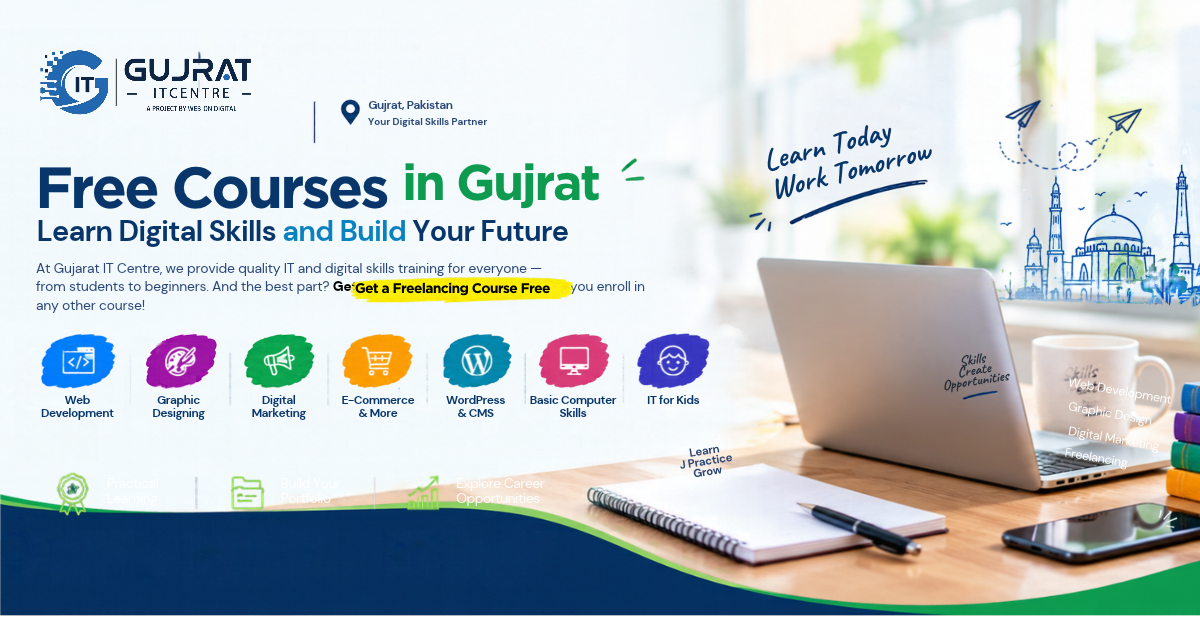
Free Courses in Gujrat: Learn Digital Skills and Build Your Future
Explore Free Courses in Gujrat
Looking for free courses in Gujrat to develop your skills and prepare for future opportunities? Gujrat IT Centre provides learning opportunities for individuals interested in information technology, digital skills, and professional development.
One important benefit is the opportunity to study freelancing free of cost when enrolling in another eligible course at the centre. This allows students to develop a practical skill while learning how freelancing works.
Important: Only the freelancing course is offered free of cost under this arrangement. Other courses are paid. Students should confirm the latest course availability, fees, eligibility requirements, and admission details directly with Gujrat IT Centre.
Understanding the Free Freelancing Course Offer
Freelancing allows individuals to offer their skills and services to clients independently. It can involve website development, graphic design, writing, and other professional services.
At Gujrat IT Centre, eligible students can take the freelancing course without an additional fee when they enroll in another qualifying course, subject to the centre’s enrollment policy.
How Does the Free Freelancing Course Work?
Students interested in learning a technical or creative skill can explore the centre’s available courses and ask whether their selected programme qualifies for the free freelancing offer. For example, a student interested in web development may also want to learn how independent online work operates.
The combination can help learners understand both skill development and the process of offering services to clients. Confirm the applicable conditions before completing enrollment.
Who Can Benefit from the Offer?
This opportunity is ideal for intermediate-level students, newcomers, recent graduates, and anyone looking to gain useful, hands-on skills for their future.. It may also benefit learners who want to build a portfolio or explore freelancing as a possible career path.
Are All Courses at Gujrat IT Centre Free?
No. The free offer applies only to the freelancing course under the centre’s applicable enrollment policy. Other courses are paid, and their fees depend on the selected programme. Always confirm the approved fee, duration, schedule, and eligibility conditions before registering.
Digital Skills Courses in Gujrat: Explore Your Options
Choosing a course becomes easier when you understand your interests and future goals. The following sections introduce different digital learning areas. Check with Gujrat IT Centre to confirm which courses are currently available and what each syllabus includes.
Web Development
Web development focuses on creating and maintaining websites. Depending on the syllabus, learners may study HTML, CSS, JavaScript, responsive layouts, and other website development technologies.
Potential Benefits of Web Development
Students can practise building web pages and develop projects for a portfolio. These projects may help demonstrate their abilities when exploring internships, employment, or freelance opportunities.
Graphic Designing
Graphic designing involves communicating ideas through visual content. Common examples include social media graphics, banners, promotional materials, and other digital designs.
Learners may explore typography, colour combinations, layout principles, and design software. Creating original designs and organising them into a portfolio can help demonstrate creative progress.
Digital Marketing
Digital marketing covers methods businesses use to reach audiences online. Depending on the course, relevant subjects may include social media promotion, content planning, advertising fundamentals, and campaign performance.
These skills can help learners understand how businesses develop their online presence. Confirm whether digital marketing is offered as a separate course at the centre.
E-Commerce, WordPress, Shopify, eBay, Etsy and OnBuy
E-commerce involves buying and selling products online. Businesses can operate their own websites or use marketplaces to reach customers. Learning about these platforms can introduce students to product presentation, online store management, and digital business operations.
- WordPress: A website-building platform used for blogs, business websites, and other online projects. Learners may explore pages, themes, menus, and basic website management.
- Shopify: A digital platform that allows users to build, operate, and maintain their own online shops.. Relevant learning areas may include store setup, product listings, collections, and order management.
- eBay: An online marketplace where sellers list products. Understanding product listings, seller policies, shipping, and fees is important.
- Etsy: A marketplace known for handmade items, vintage products, and craft supplies that meet its policies. Learners may explore product presentation and shop management.
- OnBuy: An online marketplace where third-party sellers offer products. Potential learning areas include listings, pricing, orders, and seller requirements.
These are different learning paths, not confirmation that every platform is included in Gujrat IT Centre’s current syllabus. Confirm the available courses and their fees before enrolling.
Basic Computer Skills and IT for Kids
Basic computer skills can include computer operations, file management, internet use, document preparation, and office software. These abilities can support education and further technology training.
IT for Kids may introduce children to computer basics and age-appropriate technology activities. Parents should confirm availability, age requirements, and course content before registration.
Benefits of Learning Digital Skills in Gujrat
Develop Practical Abilities
Practical exercises help learners apply what they study. A web development student might create a webpage, while a graphic designing learner might prepare original social media graphics. The activities depend on the selected course and its syllabus.
Build a Portfolio
A portfolio is a curated selection of projects that showcases your skills, experience, and capabilities.. It may include websites, designs, product listings, or other relevant projects. Beginners can start with small projects and improve them through regular practice.
Explore Freelancing and Career Opportunities
Freelancing allows people to offer services independently. Learning about proposals, client communication, project requirements, and professional conduct can help beginners understand how freelance work operates.
Practical digital skills may also support preparation for internships and entry-level roles. However, completing a course does not guarantee clients, employment, or income. Results depend on individual ability, practice, competition, and market demand.
Useful Online Resources for Digital Learning
Alongside local training, students can explore additional learning resources.
- DigiSkills.pk: Visit the official platform to review available online courses, registration periods, and learning requirements.
- Upwork: Explore how clients and freelancers connect, review project descriptions, and learn about professional expectations and platform policies.
- Coursera: Browse courses in technology and professional development. Check whether free access, financial assistance, or paid certificates are available for your chosen course.
- The Hunar Foundation: Review its official website for information about vocational training programmes, locations, and eligibility.
These resources are supplementary. Their availability and requirements may change, and they do not replace confirmation of Gujrat IT Centre’s courses or admission terms.
How to Apply for Courses at Gujrat IT Centre
Step 1: Review Available Courses
Check the current course list and ask for the syllabus, prerequisites, and practical learning activities.
Step 2: Select a Suitable Course
Choose a programme that matches your interests, educational background, and learning goals.
Step 3: Confirm Fees and the Free Offer
Ask about the approved fee for your chosen course and whether it qualifies you for the free freelancing course. Confirm any additional conditions before paying or registering.
Step 4: Check Duration and Class Timings
Confirm the course duration, schedule, start date, and teaching format. Ask whether classes are available on campus or online.
Step 5: Complete Enrollment
Follow the centre’s official registration instructions and provide the documents requested through its legitimate admission process.
Step 6: Practice Your Skills
After enrollment, organise your study time, complete practical assignments, and review your progress regularly. Consistent practice can help you make better use of your training.
Frequently Asked Questions About Free Courses in Gujrat
How Can I Get the Free Freelancing Course?
Ask Gujrat IT Centre about enrolling in an eligible course and taking the freelancing course free of cost under its current policy.
What Is the Fee for Other Courses?
Other courses are paid. Contact the centre to confirm the latest fee for your selected programme.
Do I Need Previous Computer Knowledge?
Requirements depend on the course. Ask the centre whether your chosen programme requires previous computer knowledge or specific educational qualifications.
What Is the Duration of the Freelancing Course?
The exact duration should be confirmed directly with Gujrat IT Centre, as it has not been established in this article.
Will I Receive a Certificate?
Ask the centre whether a certificate is available and what requirements must be completed to receive it.
How Can I Contact Gujrat IT Centre?
Visit the official Gujrat IT Centre website or its contact page to obtain verified information about admissions, fees, schedules, and registration.
Start Your Learning Journey with Gujrat IT Centre
Exploring free courses in Gujrat can be a useful first step towards developing practical skills. Choose a course that matches your interests, understand the fee structure, and commit to practising what you learn.
Gujrat IT Centre offers eligible students the opportunity to study freelancing free of cost alongside another qualifying course, subject to its enrollment policy. Explore the available programmes and confirm the admission requirements before making your decision.
Ready to take the next step? Visit the official Gujrat IT Centre website or contact the centre to check current courses, fees, class schedules, and enrollment details.